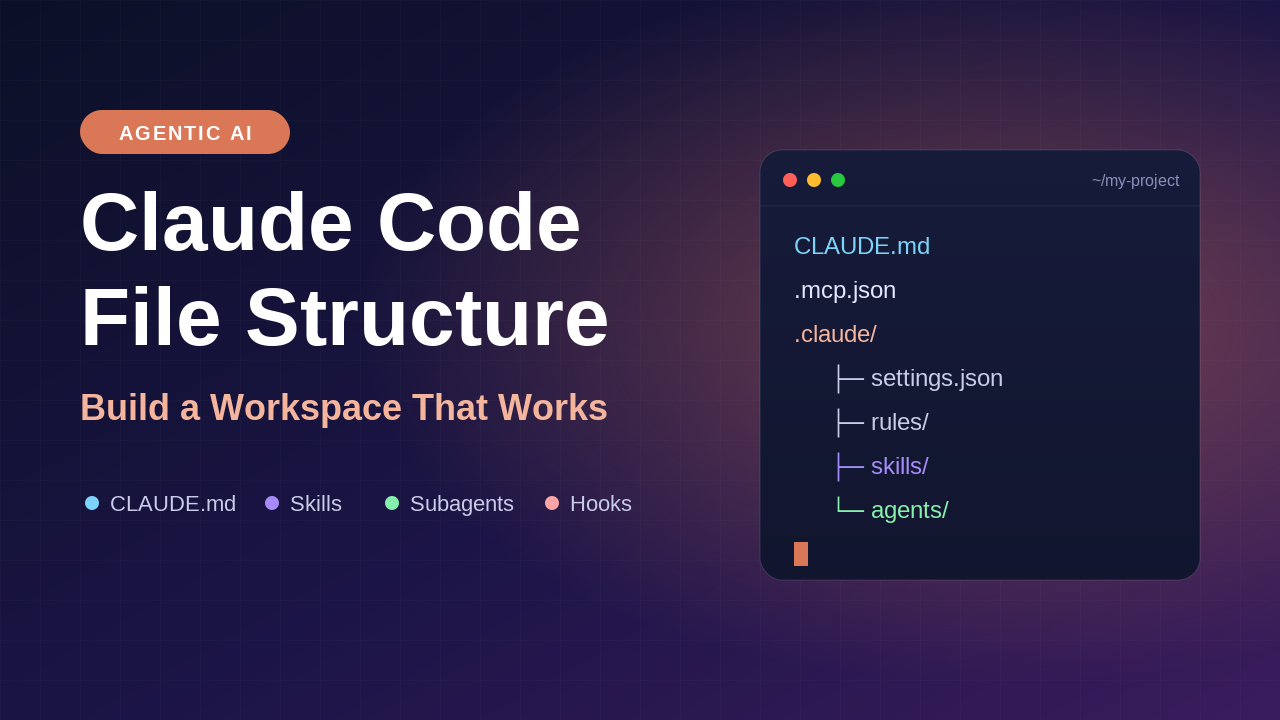
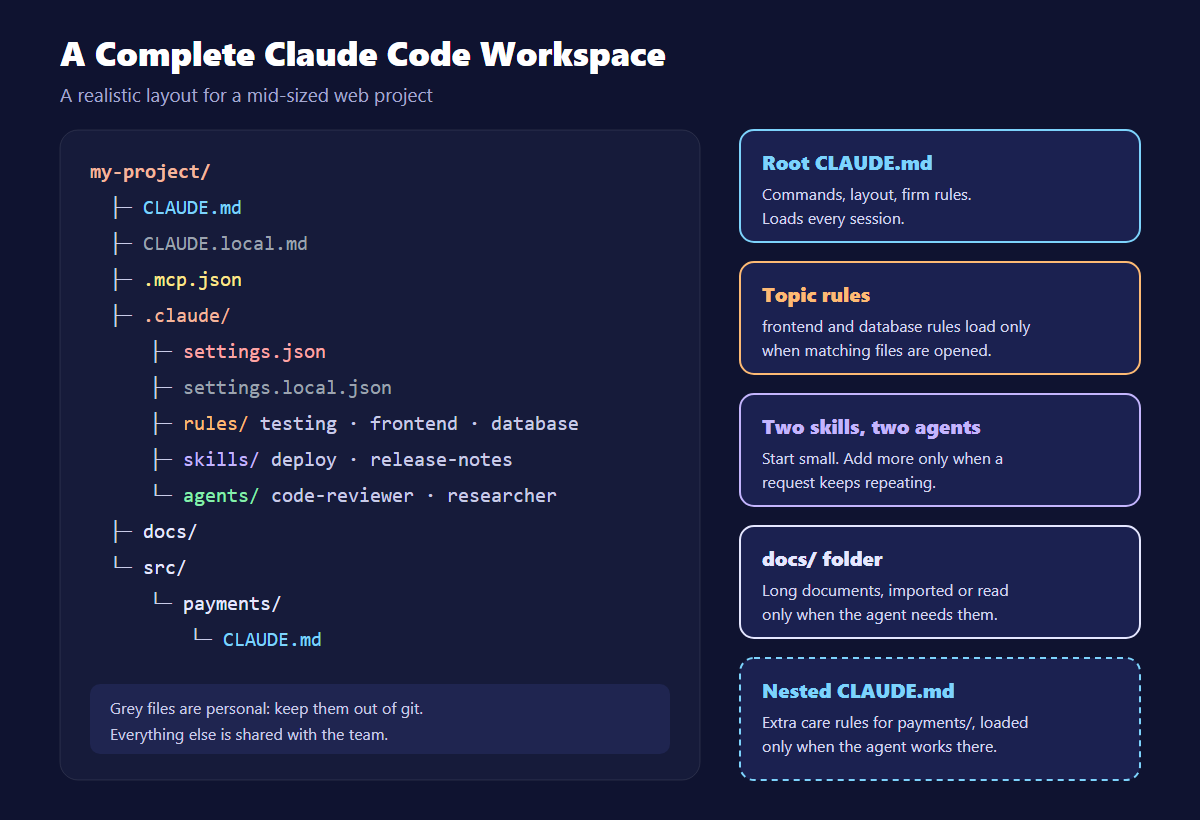
The Claude Code file structure is the set of files and folders Claude Code reads to understand a project and follow its rules. It has three main parts: a CLAUDE.md file in the project root, a hidden .claude folder that holds rules, skills, subagents and settings, and an optional .mcp.json file that connects outside tools. A matching .claude folder in your home directory holds personal versions that apply to every project you open.
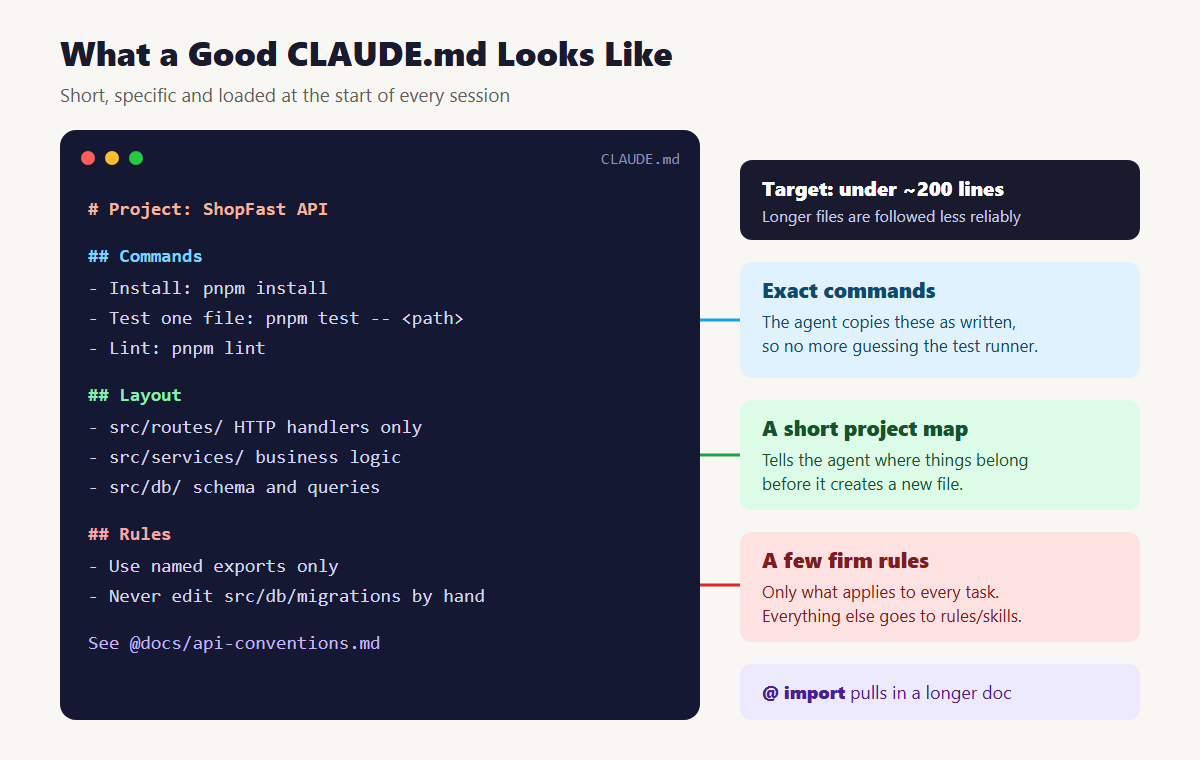
CLAUDE.md is a plain Markdown file of instructions that Claude Code loads at the start of every session. Because it is the one file the agent is guaranteed to see, it deserves the most care in the whole setup.
Claude Code combines CLAUDE.md files from several places instead of choosing one. The project version sits in the project root and is shared with your team through git. A personal version in the .claude folder of your home directory applies to all your projects, and a CLAUDE.local.md file holds private notes for a single project and stays out of git.
What to Write in It
CLAUDE.md should hold only what matters in every session: exact commands for installing and testing, a short map of the project, and a few firm rules. Anthropic recommends keeping it under roughly 200 lines, since longer files take more of the agent's working memory and are followed less reliably. The /init command scans your project and writes a first draft, which you should trim before relying on it.
Rules, skills and subagents live inside the .claude folder, and each one keeps CLAUDE.md short in a different way.
Rules
Rules are small instruction files in the .claude/rules folder, each covering one topic such as testing or frontend styling. A rule can be linked to certain file paths, so it loads only when the agent opens matching files.
Skills
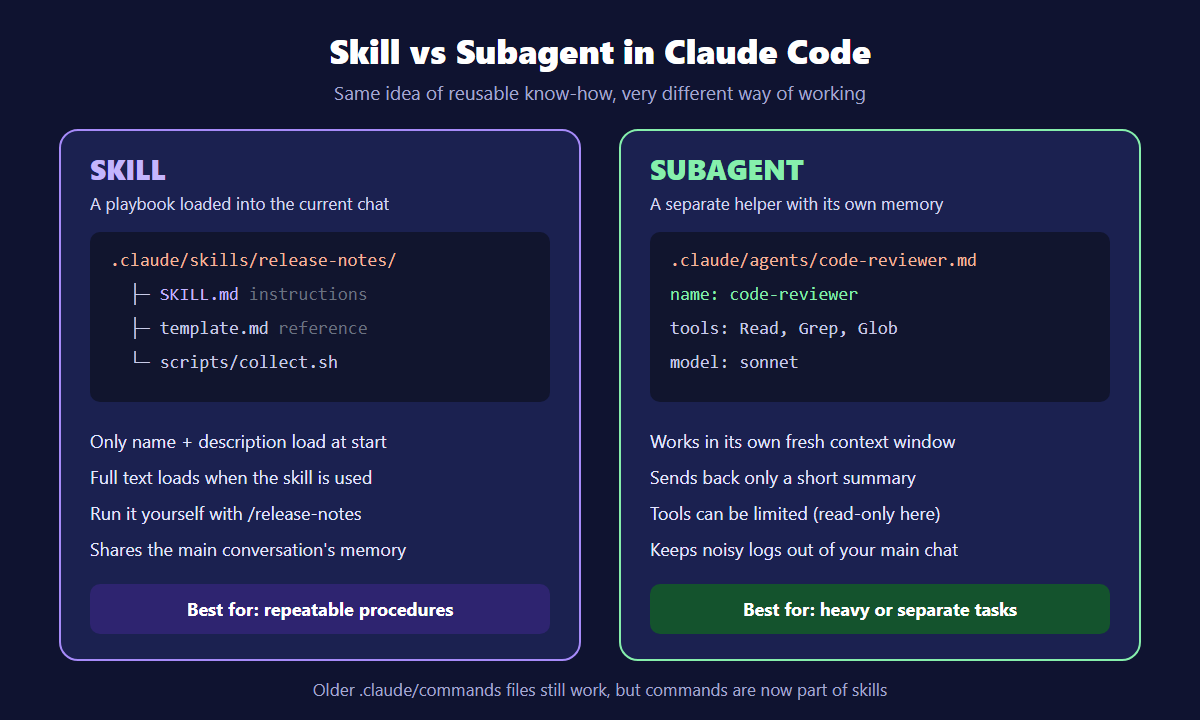
A skill is a folder containing a SKILL.md file that describes how to do one repeatable task, such as deploying the app or writing release notes. At the start of a session Claude sees only each skill's name and description, and the full instructions load only when the skill is used. You can keep many detailed playbooks without filling the agent's memory, as long as each description clearly says what the skill does and when to use it.
Subagents
A subagent is a separate helper defined in the .claude/agents folder, with its own instructions, its own allowed tools and its own fresh context window. It handles heavy or noisy work, such as long test logs, and returns only a short summary to the main conversation. You can also restrict it, for example a reviewer that can read files but never edit them.
The context window is the agent's working memory for a session, and it has a limit. To protect it, Claude Code loads CLAUDE.md files, rules without paths and skill descriptions at startup, while path-based rules, full skill instructions and subfolder CLAUDE.md files wait until they become relevant. The simple rule is to put anything needed every time in CLAUDE.md and turn anything needed only sometimes into a rule or a skill. Typing /context shows which files were loaded.
Writing "never read the .env file" in CLAUDE.md is guidance, not protection, because the model still decides whether to follow it. Settings are different, since the Claude Code application enforces them no matter what the model decides.
Settings Files
The shared .claude/settings.json file applies to the whole team and is committed to git. The .claude/settings.local.json file holds your personal overrides for one project and stays out of git, while a settings file in your home directory applies to every project. When the same setting appears twice, the more specific file wins.
Permissions
Permissions decide what the agent may do. An allow list names safe commands the agent can run without asking each time, such as your lint and test commands, and a deny list blocks anything off limits, such as reading files that contain passwords or API keys.
Hooks
Hooks are scripts that run automatically around each action the agent takes. A PreToolUse hook runs first and can block a risky command, while a PostToolUse hook runs afterwards and suits cleanup work such as formatting edited files.
MCP Connections
MCP, short for Model Context Protocol, lets the agent connect to outside services such as GitHub, a database or a browser. A .mcp.json file in the project root shares these connections with your team, while personal connections and their tokens stay in your home directory.
What is the difference between a skill and a subagent?
A skill loads extra instructions into the current conversation when needed. A subagent works in its own separate context window and returns only a summary, which suits large or noisy tasks.
How long should CLAUDE.md be?
Keep it under about 200 lines, and move topic-specific guidance into rules and step-by-step procedures into skills.
Before switching to a different AI model, look at what your workspace tells the agent. A short CLAUDE.md, a couple of well-described skills and firm deny rules often improve results more than any model change, so start with the /init draft and grow the setup only as real problems appear. Tell us in the comments what confuses your agent most, and explore our Technology section for more AI guides.